
Microsoft Teams is widely used for organizational communication, supporting everything from project collaboration and file sharing to daily conversations. As a result, the data generated within Teams is now critical to business operations.
Teams consist of multiple services that are designed for various collaboration needs, including public team channels and private 1:1 chats or group chats. However, many backup solutions focus on team channels, while private chats often go unsupported. This isn’t because chat data is unimportant, but because backing it up introduces significant technical challenges.
The hidden complexity behind Teams 1:1 chat backup
Although backing up private chats may appear simple on the surface, the architecture behind Microsoft Teams introduces technical complexities that limit support in many backup solutions.
Fragmented storage architecture
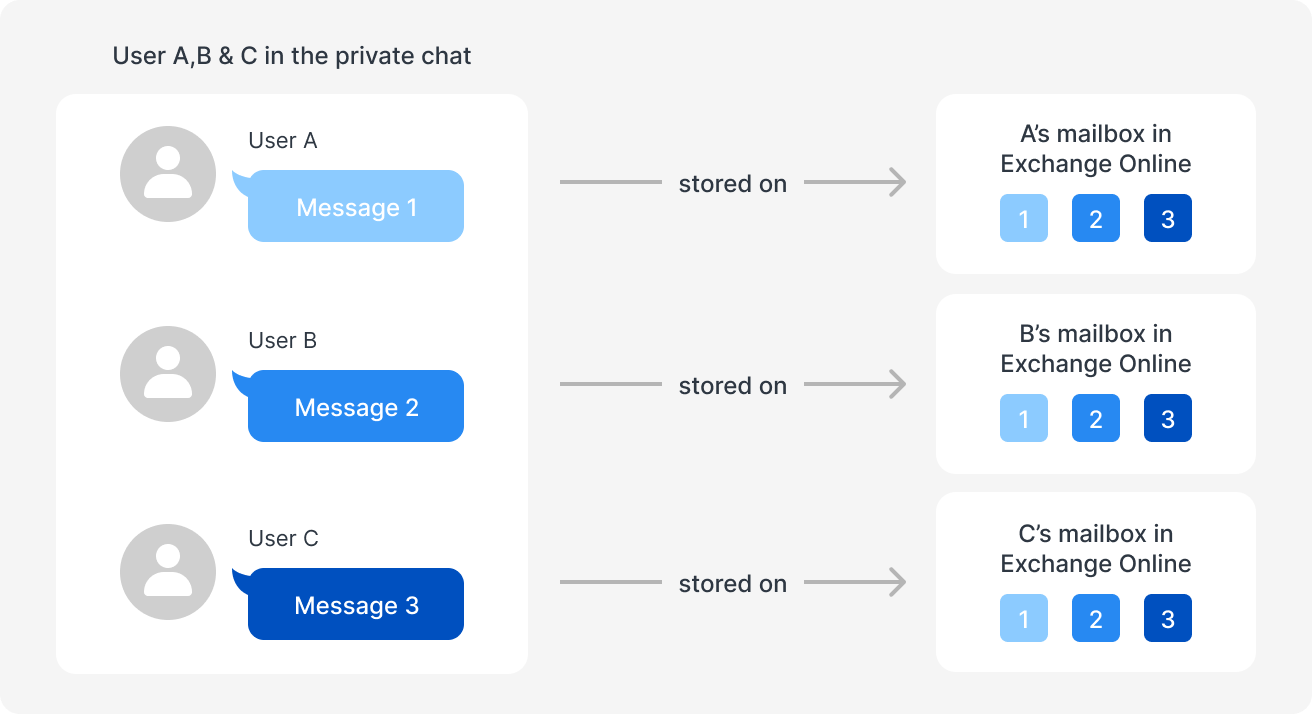
Private chats are stored in a distributed manner. Each conversation is backed up separately within each participant’s personal Exchange mailbox. Restoring a complete chat requires collecting data from multiple mailboxes and merging it into a single record, significantly increasing complexity.
Full-Fidelity Backup complexity
A conversation includes more than just text; it includes formatting such as bold or underline text, and embedded tables. To ensure restoration is accurate, backups must preserve these details as well.
Backing up attachments is more complicated, since the Graph API only returns file URLs which can become invalid if files are moved or deleted.
Performance bottlenecks
Microsoft’s APIs impose inherent limitations on tracking incremental changes. This means that every backup requires retrieving the entire message history if the backup solution doesn’t come with an efficient mechanism. This slows down performance and increases API load as data grows.
In addition, group chats further complicate storage efficiency. As group chats involve multiple participants, backing up data on a per-account basis can result in the same content being stored repeatedly. The more participants, the more storage is used.
ActiveProtect breaks the limits with a specialized design
Instead of avoiding these challenges, Synology’s purpose-built backup appliance, ActiveProtect, addresses them directly through specialized handling logic, enabling precise and efficient Microsoft Teams backup.
Full-fidelity backups
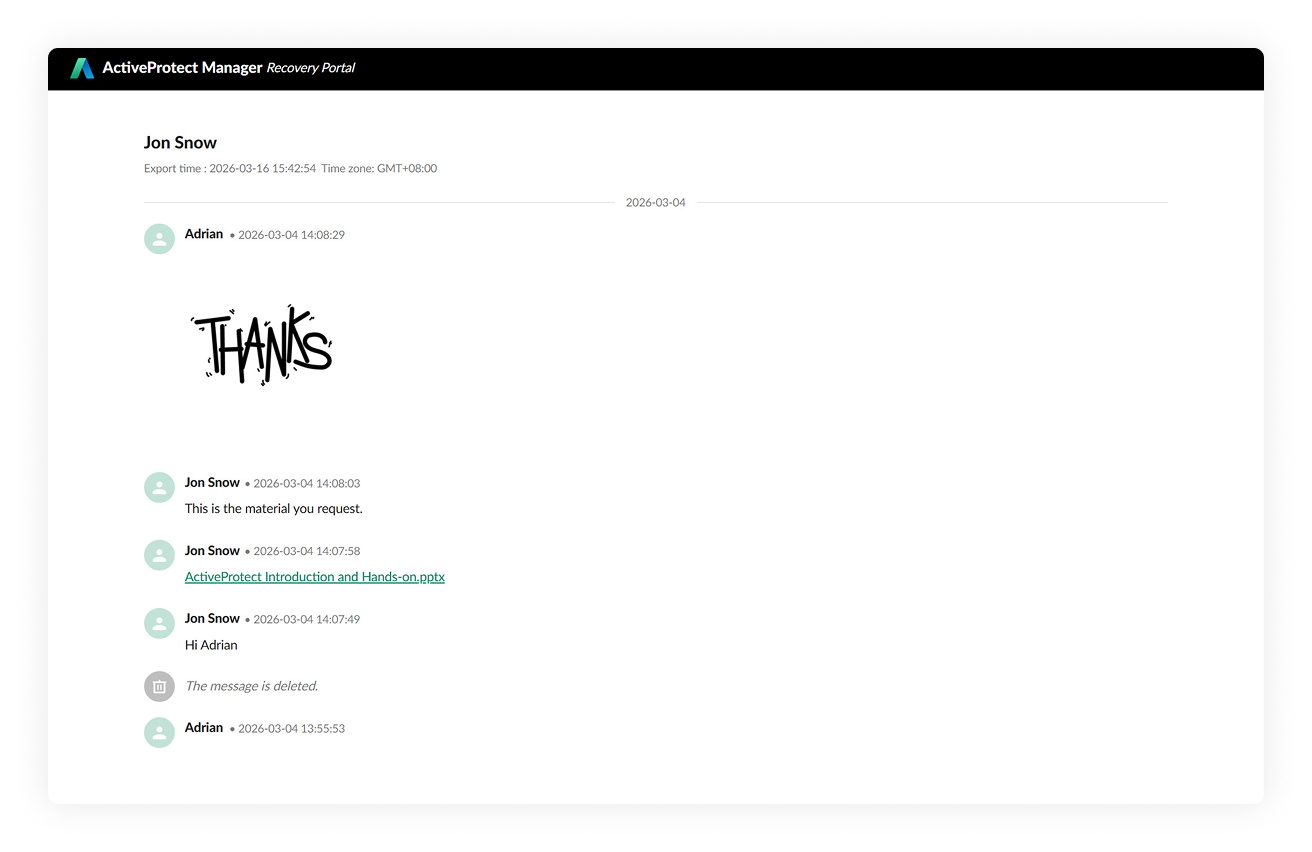
ActiveProtect captures Microsoft Teams data beyond text messages and includes chat members, stickers, and embedded OneDrive links that remain clickable even after restoration. It also preserves message formatting such as bold or underline text, and embedded tables.
For attachments, instead of relying solely on Graph API URLs, ActiveProtect proactively downloads files and stores them together with their associated messages. Custom change-tracking logic identifies attachment modifications, ensuring the latest version is backed up. This approach eliminates broken links and ensure that conversations can be reliably restored.
Performance optimization at scale
To address the API’s inability to natively track incremental changes, ActiveProtect analyzes API responses to determine the latest modification timestamp for each message. This timestamp is then used as the baseline for the next incremental backup cycle, enabling efficient change tracking even without direct API support.
In a group chat scenario, built-in deduplication prevents duplicate data from being stored across participants. For example, in a chat among users A, B, and C, the system downloads the conversation once for user A. When backing up the data for users B and C, it recognizes the same content and reuses the existing backup instead of downloading it again.
Enhanced search and restoration visibility
ActiveProtect enhances data accessibility and visibility beyond simple restoration.
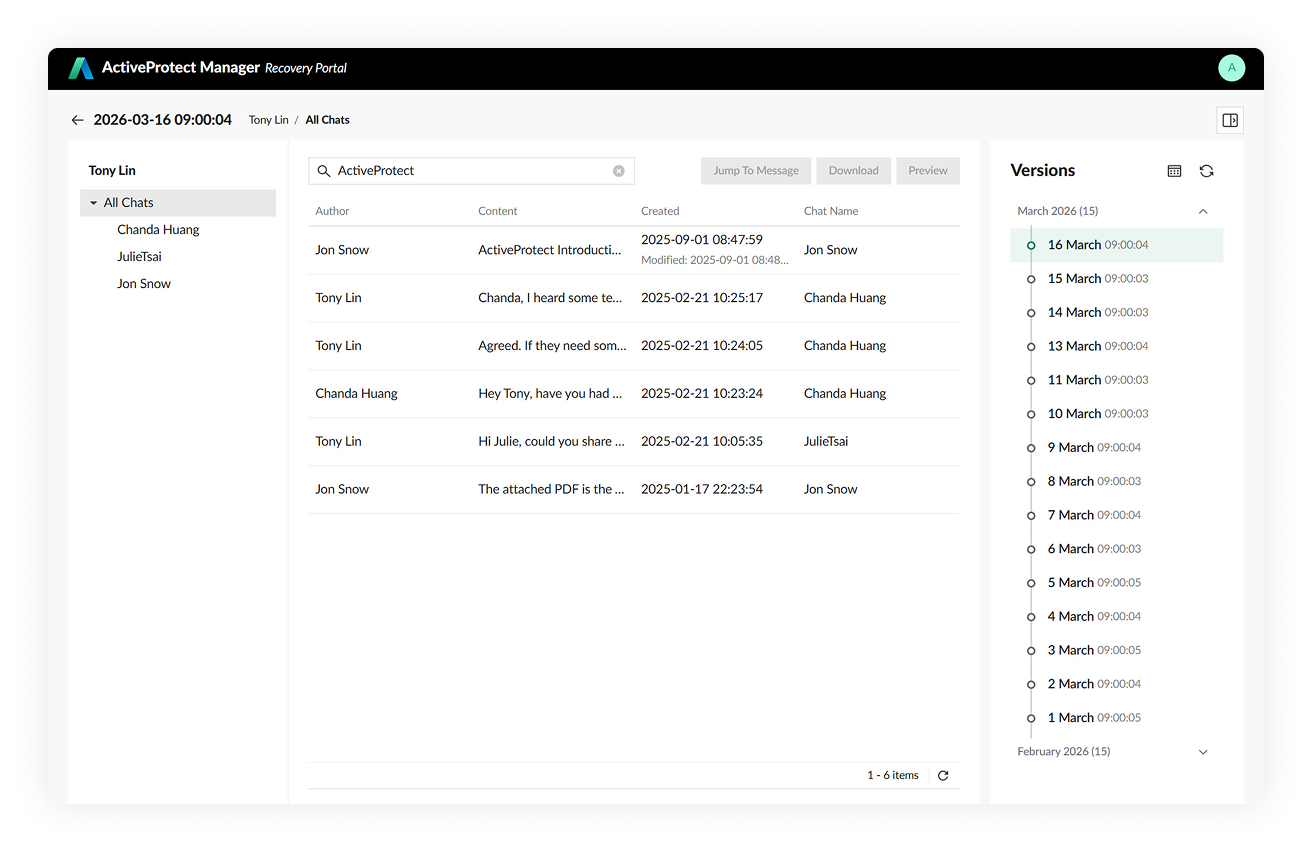
It supports full-text search across all chats, enabling users to quickly locate specific keywords. Time-range filtering allows messages within a defined period to be identified and downloaded in batches for efficient review.
Before restoration, ActiveProtect provides contextual message previews with full formatting support. Users can then review the content and verify its accuracy before proceeding, eliminating the need to open each message individually.
When restoration is required, selected messages or entire chats can be exported as HTML files. This is particularly valuable for audit and eDiscovery scenarios. Each export includes a generation timestamp, providing clear traceability of when the file was created.
Retry whitelist to improve backup stability
Microsoft’s API backup mechanism operates sequentially, meaning a single message error can interrupt the entire backup process. In many solutions, such failures will just end the backup job.
To enhance stability and completion rates, ActiveProtect uses a retry whitelist mechanism that isolates problematic items without interrupting the entire backup job. When an error occurs, the issue is logged and the system continues processing the remaining messages. The affected items are then prioritized and retried in the next backup cycle.
To address the challenges of Teams backup, ActiveProtect solves them from every angle, from data capture to storage architecture and system stability, enabling organizations to protect 1:1 chats securely, efficiently, and thoroughly, with cost-effective licensing.
>> Learn how ActiveProtect meets your M365 data protection requirements or consult with our team.