
Modern ransomware doesn’t just encrypt your active systems. It now targets your backups before encrypting the rest of your infrastructure. In a recent study, Sophos found that 94% of ransomware attacks target victims’ backups first. That makes recovery far more difficult and raises the odds that the victim will pay. Synology’s disaster recovery solution maintains an immutable backup that attackers cannot access, modify or delete. The first step toward smooth recovery is to know where you truly stand.
Your business isn’t too small to be a target
July is Ransomware Awareness Month. The most dangerous assumption a business can make is that ransomware happens to someone bigger. The data says otherwise. Attacker economics have shifted decisively toward small and mid-sized businesses. They offer weaker defenses, faster payment and far higher aggregate return than chasing a single large enterprise.
The numbers are stark. At organizations this size, the vast majority of breaches now involve ransomware. The rate is far higher than at large enterprises. A small business with client work, financial records and production systems on a handful of servers fits the profile perfectly. It’s exactly what modern ransomware operators look for.
Threat context
Ransomware now moves fast. Some operators achieve full network encryption in a matter of hours, leaving almost no window for human-in-the-loop defense. That speed is why the recovery story matters more than the perimeter. When prevention fails, everything comes down to recovery. Your ability to restore from a clean, untouchable backup decides whether an attack becomes a disruption or a disaster.
How ransomware reaches a small business
The entry point is usually mundane: a phishing email, a compromised credential or an unpatched service exposed to the internet. Once ransomware gains a foothold on one device, it moves laterally across the network. It encrypts everything it can reach: file servers, virtual machines and endpoints.

“Microsoft is backing us up”
Before we get to architecture, one belief quietly leaves a large share of businesses exposed. It’s the assumption that Microsoft 365 backs up your data for you. It does not. Under the shared-responsibility model, Microsoft secures the infrastructure, but you own and are responsible for protecting your data.
Sync ≠ backup
The same trap applies to any sync-based service. OneDrive, SharePoint, Google Drive and Dropbox are synchronization tools, not backups. When ransomware encrypts a file through a synced folder, that encrypted version propagates to the cloud within minutes. It overwrites the copy you were counting on. Native retention is short, varies by application, and an attacker with the right access can clear it.
Critical distinction
Sync replicates your current file state — including ransomware encryption — across every connected device and cloud copy. Backup maintains versioned, independent copies that sync cannot overwrite. Only the latter survives an attack.
Active Backup for Microsoft 365 closes this gap. It keeps an independent, off-platform copy of your Exchange, OneDrive, SharePoint and Teams data. Immutable snapshots protect those backups even further. Not sure where your own gaps are? The Ransomware Resilience Challenge walks you through a scored audit in a few minutes.
Synology’s immutable backup solution
Real ransomware backup protection comes down to two things: what your backup covers and whether ransomware can reach it. Most businesses fail one or both tests. Synology’s architecture addresses both halves on a single platform, with no per-seat or per-workload licensing.
Active Backup for Business
Back up physical and virtual servers, PCs and NAS shares.
Learn more →Active Backup for Microsoft 365
Back up Exchange, OneDrive, SharePoint and Teams data.
Learn more →Snapshot Replication
Schedule immutable snapshots of important folders and LUNs.
Learn more →Hyper Backup
Sends an off-site copy to a second NAS, external media or the cloud.
Learn more →Active Backup for Google Workspace
Back up My Drive, Team Drive, Gmail, Contacts and Calendar.
Learn more →C2 OneStorage
Protect backups in the cloud with immutable object locking.
Learn more →The strongest claim Synology can make against ransomware comes from two products working together. Active Backup for Business answers the first question: Does the backup cover everything? It protects PCs, physical servers and virtual machines from a single console, license-free with DSM. That closes the gaps ransomware loves — the unprotected laptop, the forgotten VM.
Snapshot Replication answers the second, harder question — will the backup survive the attack? It creates an immutable backup: point-in-time WORM snapshots on Btrfs volumes. Once you set a protection period, nothing can remove these snapshots for the duration. That includes an administrator or a compromised admin account.
Why immutable backups are decisive
In the Sophos State of Ransomware 2024 study, 94% of attacks tried to compromise the victim’s backups. 57% of those attempts succeeded. The cost when they succeed is severe. Organizations face recovery bills roughly eight times higher when attackers compromise their backups than when backups stay intact. Immutable backups in place give you a restoration point that a ransomware attack cannot penetrate.
Snapshot Replication also copies those immutable snapshots to a second Synology system. That keeps a clean, locked copy on separate hardware for fast recovery. Scheduling is configurable down to minute-level precision, and restoration runs through the DSM web interface. Note that immutable snapshots require a WORM-supported Synology model, so model selection matters when designing the architecture.
An immutable backup that covers everything and survives any attack gives you the best chance to recover without paying.
Following the golden rule of backup
On-site immutable copies help defend against most ransomware scenarios. A complete architecture goes further by following the 3-2-1-1-0 rule: three copies of your data on two media types. One copy stays off-site, one stays immutable or offline and a tested restore confirms zero errors. That off-site copy protects against site-level disasters and attacks. The immutable copy is what survives an attacker who gains access to your network. Synology offers two complementary tools.
Hyper Backup creates versioned, deduplicated, encrypted backups. Destinations include external drives, a remote Synology NAS, rsync servers and Synology’s own cloud. It maintains full version history, so you can restore from any prior point rather than only the latest.
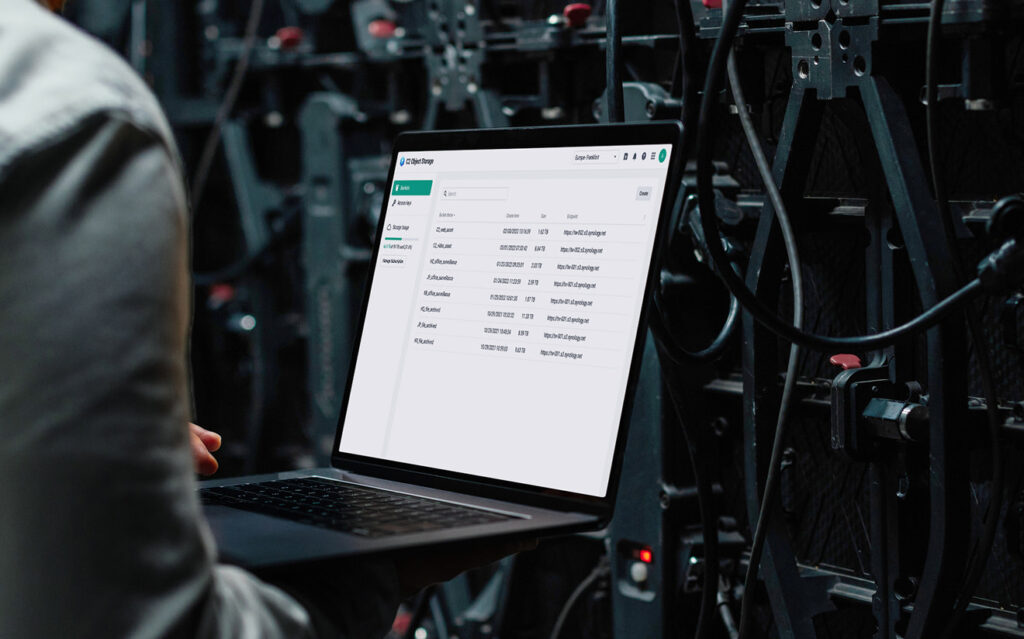
Adding an immutable cloud backup with Synology C2
Synology C2 provides the off-platform leg without requiring a second physical site. C2 Storage is a single cloud storage pool that works as a Hyper Backup destination. It’s separated from your network and credentials, so on-premises ransomware cannot reach it. The immutable copy in the model can exist at two layers. On the NAS, Snapshot Replication makes your backup repositories WORM-immutable on supported models. That covers the workstations, servers, VMs and SaaS data that Active Backup protects.
In the cloud, C2 Object Lock makes the off-platform object copy immutable for the retention period you set. No one can modify or delete it, even with admin credentials. The final step is the zero in 3-2-1-1-0: a tested restore. It confirms that the copy actually comes back clean, rather than assuming it will.
3-2-1 backup with immutability
- Copy 1: Production data, plus immutable Snapshot Replication on the primary backup server.
- Copy 2: Create immutable backups by storing snapshots on a second Synology NAS.
- Copy 3: Create an out-of-network immutable backup with C2 OneStorage.
- Restoration: Together, you will have immutable copies on-site and in the cloud.
- Zero errors: Simulate a restoration locally using Virtual Machine Manager or remotely using C2 OneStorage.
Early detection: Active Insight
Coverage and immutability protect your data. Active Insight adds the layer that addresses a different phase of the ransomware lifecycle: early detection. It is available as a per-host subscription and includes file activity monitoring.
Active Insight is Synology’s cloud-based monitoring service. Its file activity monitoring tracks access patterns, modification rates and file operation types across your Synology systems in real time. A single pane of glass scales across multiple sites.
How detection works during an attack
During a ransomware attack, file activity patterns become highly anomalous. A single process modifies thousands of files per minute, extensions change in bulk and modification timestamps cluster tightly. Active Insight detects these patterns and alerts administrators, typically within minutes of the attack beginning. That gives the team time to intervene before the encryption sweep completes. On supported systems, it can go a step further. The moment it detects that behavior, it automatically captures an immutable snapshot, preserving a clean copy while your team responds.
For a lean IT team or an operations lead who, by default, owns IT, that alert makes all the difference. It’s the gap between catching an incident in progress and discovering it the next morning. An immediate notification of mass file modification signals it’s time to isolate the affected system before you lose more data.
Activity monitoring on the go
Active Insight is a detection and alerting tool. When it detects ransomware behavior, it can also trigger an automated immutable snapshot as a safety net. That captures a clean point-in-time copy of the affected shared folders. That response requires Snapshot Replication and a WORM-supported model and allows only one snapshot per shared folder per day. It’s a backstop, not a substitute for fast human action. How quickly your team acts on the alert and isolates the affected device determines how much data you protect. Configure push notifications so they alert the right people on at the right time. Learn more
Paying should not be your ransomware recovery plan
When systems go down and business stalls, paying the ransom can feel like the fastest path back. The data says it rarely is. A large share of victims who pay do not fully recover their data. Most get hit again within a year. Payment signals both the ability and willingness to pay, marking you as a priority target for the next campaign.
Simulate ransomware recovery from an immutable backup
The only reliable answer is the ability to recover on your own terms, and Synology’s recovery workflow handles exactly that. You restore from an immutable snapshot or a Hyper Backup destination through a guided interface. Virtual Machine Manager can even spin up a backed-up server or VM to validate a restore before you commit.
Restoration from a recent immutable snapshot can complete quickly for most business data volumes. Restoration from C2 depends on data volume and connection speed, but the system automates the process once you start it. Either way, recovery does not depend on a ransom negotiation or an attacker keeping their word.
One immutable backup platform, no per-seat licensing
The architecture in this article runs on Synology’s current business NAS lineup. The economics are a large part of the story, too. Competitors such as Veeam and Acronis charge per VM, per seat or per workload. Synology includes its Active Backup Suite with DSM at no additional license cost. For a typical business protecting dozens of PCs, several VMs and a tenant of mailboxes, that difference adds up. Over three years, it becomes a meaningful total cost of ownership gap in Synology’s favor. Some organizations want this protection built in from day one, rather than configured from components. The ActiveProtect appliance delivers the same outcome in a single pre-configured unit.
Audit your disaster recovery plan
Take our Ransomware Resilience Challenge to score your readiness across coverage, immutability, off-site protection and security culture. Have questions about your setup? We’re happy to help.
Frequently asked questions
Can ransomware delete or encrypt my backups?
It can reach most backups — and that is exactly the problem. The overwhelming majority of ransomware attacks now target backup repositories, and most victims have their backups breached. A backup that an attacker can delete is no defense. The exception is an immutable backup. Synology’s immutable Snapshot Replication creates WORM copies that no one can modify or delete — even with stolen admin credentials. That protection holds for the period you set.
Does Microsoft 365 include immutable backups?
No. Under Microsoft’s own shared-responsibility model, you own your Microsoft 365 data and are responsible for backing it up. Native retention is short and if ransomware encrypts OneDrive or SharePoint via sync, nothing can restore it. Active Backup for Microsoft 365 keeps an independent, off-platform copy of your Exchange, OneDrive, SharePoint and Teams data. You can recover regardless of what happens in the tenant.
How do I protect my backups from ransomware?
Ransomware backup protection comes down to two things: coverage and immutability. The backup has to cover every workload — PCs, servers, VMs, SaaS — with no gaps for ransomware to exploit. And it has to survive the attack. Active Backup for Business provides coverage, license-free with DSM. Snapshot Replication makes those backups immutable WORM copies that ransomware cannot physically delete or encrypt. An immutable backup that covers everything and survives any attack gives you the best chance to recover without paying.
What is Synology C2, and how does Object Lock protect backups?
Synology C2 is Synology’s own cloud. C2 OneStorage is a single cloud storage pool that serves as an off-platform Hyper Backup destination. It’s separated from your network and credentials, so on-premises ransomware cannot reach it. For true cloud immutability, Object Lock ensures no one can modify or delete backup objects during the period you set. That includes someone with admin credentials. C2 can also back up Windows endpoints and SaaS data directly to the cloud without requiring a NAS.
How does Synology’s licensing compare to Veeam or Acronis?
Veeam and Acronis typically charge per VM, per seat or per workload, so costs scale with your environment’s size. Synology includes its Active Backup Suite — PCs, servers, VMs and Microsoft 365 — with DSM at no extra cost. For a typical business protecting dozens of endpoints, several VMs and a tenant of mailboxes, that adds up. Over three years, it’s a meaningful total cost of ownership advantage. Exact figures depend on your environment — the Ransomware Resilience Challenge helps you map that out. You’re always welcome to reach out with questions.